Most marketing teams lose hours every week to repetitive tasks: sending the same follow-up emails, tagging leads, chasing abandoned carts, posting updates. Marketing automation hands that work to software so your team can focus on strategy and creative, while every lead still gets the right message at the right time. This guide explains what marketing automation is, how it works, what you can automate, and how to start without overcomplicating it.
Quick answer: Marketing automation is software that runs repetitive marketing tasks and workflows for you, such as email sequences, lead nurturing, segmentation, and follow-ups, triggered automatically by what a person does. It lets you deliver personalised, timely messages at scale without doing each one by hand. The result is more consistent nurturing, faster follow-up, and better use of your team’s time. Start with one or two high-value workflows, not everything at once.
What is marketing automation?
Marketing automation is the use of software to automate marketing actions and workflows, so tasks that would otherwise be done manually happen on their own, triggered by rules or customer behaviour. Instead of manually emailing every new lead, for example, a workflow sends a tailored welcome sequence the moment someone signs up, then adapts based on whether they open, click, or buy.
It usually connects your website, forms, email, and often your CRM, so customer data and messaging live in one place. The goal is not to remove the human touch; it is to make sure the right message reaches the right person at the right moment, consistently, even as your audience grows. It sits within your wider digital marketing strategy.
How marketing automation works
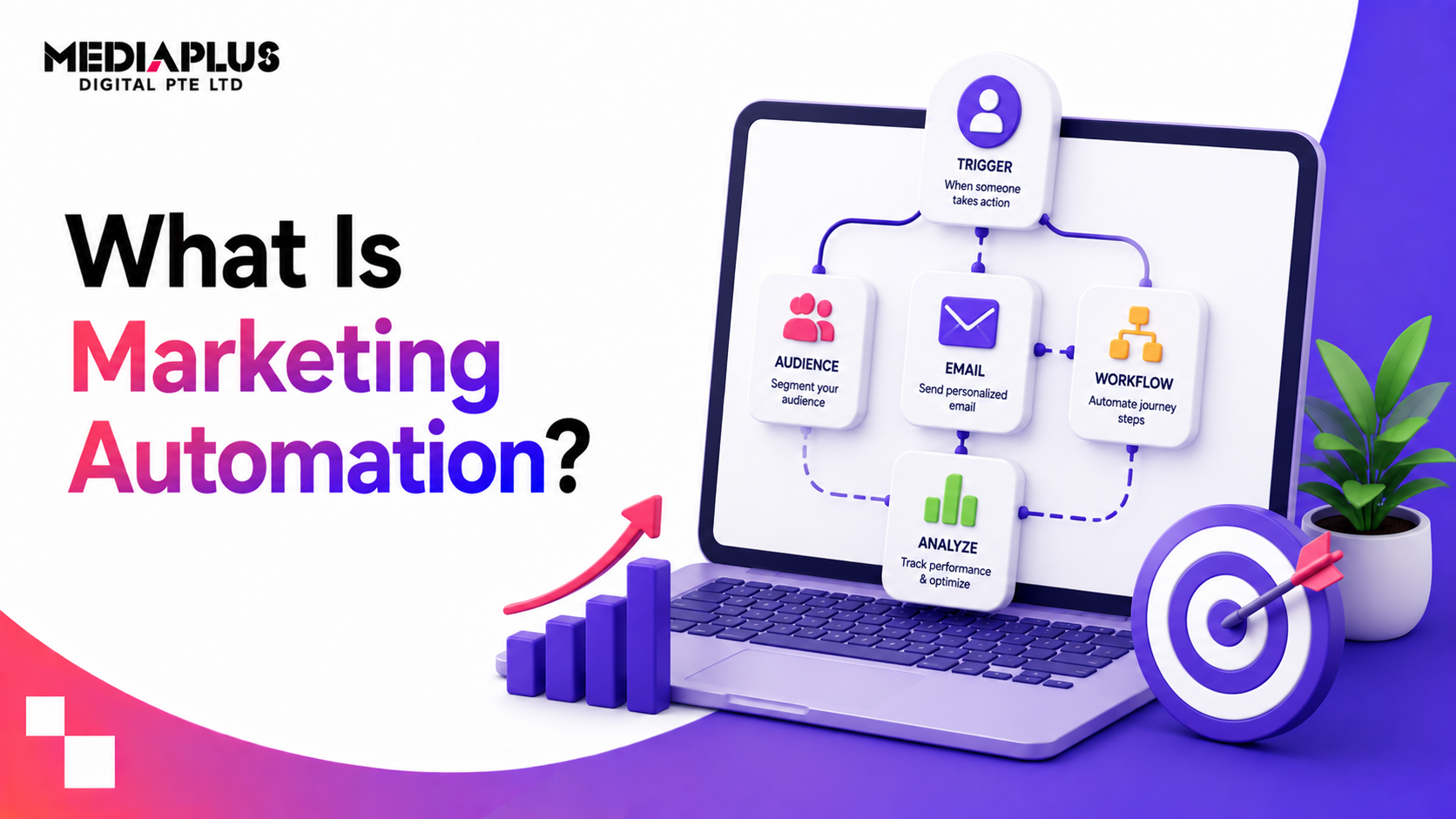
Most automation follows a simple logic: a trigger, a condition, and an action.
- Trigger: something happens (a form submission, a page visit, an abandoned cart, a date).
- Condition: a rule decides the path (did they open the email? are they a certain segment?).
- Action: the software does something (send an email, add a tag, notify sales, wait three days).
Chained together, these build workflows. A new lead downloads a guide (trigger), the system checks their industry (condition), and sends a relevant nurture sequence while scoring their engagement (action). Over time, leads move themselves down the funnel based on their own behaviour.
What you can automate
|
Area |
Examples |
|
Email marketing |
Welcome series, newsletters, drip campaigns |
|
Lead nurturing |
Behaviour-based sequences that warm up leads |
|
Segmentation |
Auto-grouping contacts by behaviour or profile |
|
Lead scoring |
Ranking leads by engagement so sales prioritises |
|
E-commerce |
Abandoned-cart, post-purchase, win-back flows |
|
Social media |
Scheduling and publishing posts |
|
Internal alerts |
Notifying sales when a lead is “hot” |
|
Reporting |
Automated performance dashboards |
Key benefits
- Saves time. Repetitive tasks run themselves, freeing the team for strategy and creative.
- Faster, consistent follow-up. Leads get a response in seconds, not days, every time.
- Personalisation at scale. Messages adapt to each person’s behaviour without manual work.
- Better lead nurturing. Prospects who are not ready to buy stay engaged until they are.
- More qualified handovers to sales. Scoring means sales spends time on the warmest leads.
- Measurable. Every workflow is tracked, so you can see what works and improve it.
Common marketing automation workflows to start with
You do not need dozens of workflows. A few high-value ones deliver most of the return:
- Welcome sequence for new subscribers or leads.
- Lead nurture sequence that educates and builds trust over time.
- Abandoned-cart recovery for e-commerce, often the highest-ROI flow.
- Post-purchase series for onboarding, reviews, and repeat sales.
- Re-engagement for contacts who have gone quiet.
- Sales alerts when a lead hits a scoring threshold.
Build one, prove it works, then expand.
Marketing automation vs email marketing vs CRM
These overlap and often confuse buyers:
- Email marketing sends campaigns (often the same message to a list). It is one channel.
- Marketing automation triggers personalised actions (often including email) based on behaviour, across the funnel.
- A CRM stores customer and sales data. Many automation platforms include or connect to one.
In practice they work together: the CRM holds the data, automation acts on it, and email is one of the channels it uses.
How to get started
- Define the goal. More leads, better nurturing, less manual work? Start with one.
- Map one journey. Pick a single high-value workflow (for example welcome or abandoned cart).
- Choose a tool that fits your size and integrates with your website and CRM.
- Get your data and content ready. Clean lists, good emails, clear triggers.
- Build, test, and launch the one workflow. Check it end to end before going live.
- Measure and improve, then add the next workflow.
Avoid the classic mistake of trying to automate everything at once. Start small, get it working, and scale.
Common mistakes to avoid
- Automating a broken process. Fix the journey first; automation scales whatever you give it.
- Over-automating so messages feel robotic and impersonal.
- Poor data, which sends the wrong message to the wrong person.
- No clear goal, so workflows exist without driving results.
- Set and forget. Workflows need reviewing and improving like any campaign.
Frequently asked questions
What is marketing automation in simple terms?
It is software that does repetitive marketing tasks for you, like sending follow-up emails or nurturing leads, automatically based on what people do, so the right message reaches the right person without manual work.
What can you automate in marketing?
Email sequences, lead nurturing and scoring, segmentation, abandoned-cart and post-purchase flows, social posting, internal sales alerts, and reporting, among others.
Is marketing automation only for big companies?
No. Small businesses often benefit most, because automation lets a small team nurture and follow up with every lead consistently without extra headcount.
What is the difference between marketing automation and email marketing?
Email marketing is one channel that sends campaigns. Marketing automation triggers personalised actions (often including email) based on each person’s behaviour across the whole customer journey.
Where should I start with marketing automation?
With one high-value workflow, usually a welcome sequence or, for e-commerce, abandoned-cart recovery. Prove it works, then expand.
Put your marketing on autopilot
Marketing automation turns repetitive work into consistent, personalised nurturing that runs around the clock. If you want help setting up workflows that actually convert, talk to MediaPlus Digital. Explore our digital marketing services and conversion rate optimisation, with PSG support for eligible SMEs.