Quick answer
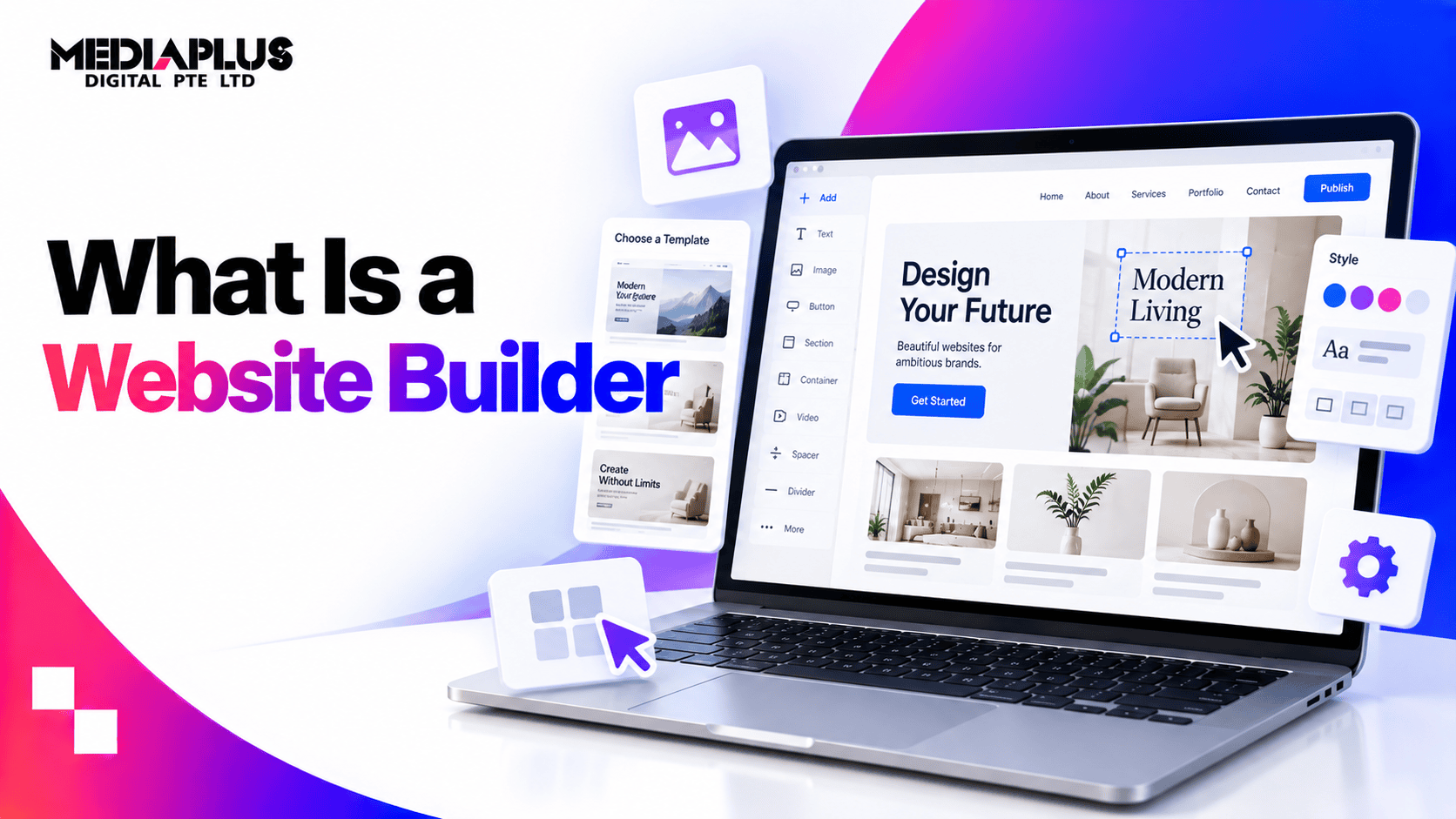
A website builder is an online tool that lets you create a website by choosing a template and editing it visually, usually with drag and drop, while the platform handles hosting, security and updates. Wix, Squarespace, Shopify and Webflow are the common examples.
Using one follows the same path on every platform: pick a plan, pick a template, set up your pages, add your content, connect a domain, fill in the SEO and payment settings, test on a phone, then publish. The whole thing takes a weekend for a simple site if your content is ready, and three weeks if it is not.
Builders are quick and cheap to start. The trade-offs are limited flexibility, recurring costs, and on many platforms no way to export your site if you want to leave.
What is a website builder?
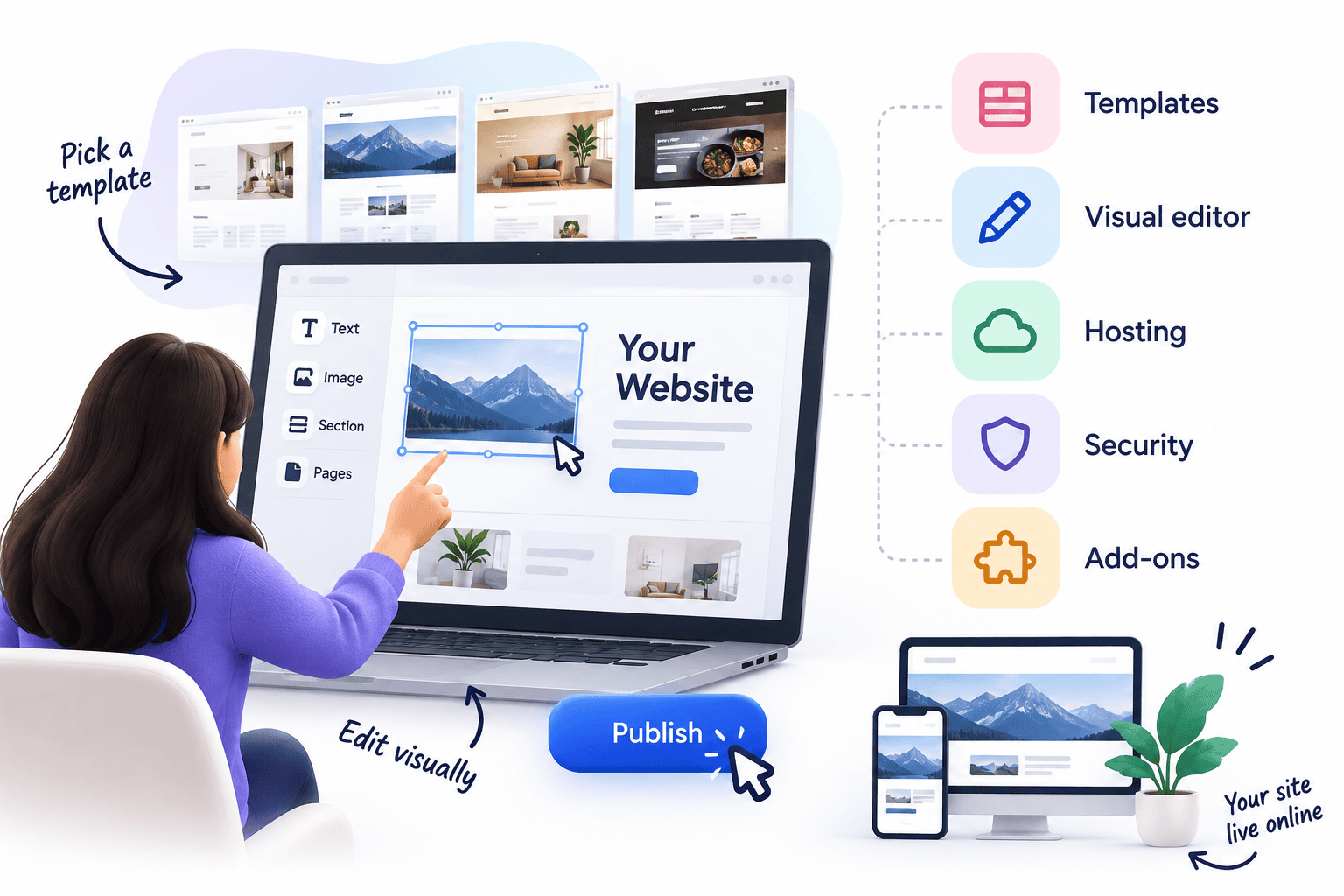
A website builder is a software platform for creating websites without coding. You work in a visual editor: pick a design, change the text and images, add pages and features, then publish. Behind the scenes the platform generates the code and, in most cases, hosts the site for you.
The idea is to package everything a basic website needs into one subscription:
- Templates that give you a ready-made design
- A visual editor to change layout, text, images and colours
- Hosting so the site is live on the internet
- Security such as SSL certificates and software updates
- Add-ons for forms, bookings, online payments, blogs and more
That convenience is why builders are popular with small businesses, freelancers and startups.
How to use a website builder, step by step
This is the order that saves the most rework. Most people jump straight to templates, then spend a week undoing it.
Step 1: Decide what the site has to do before you open any tool
Write down one sentence: what is the single action a visitor should take. Get a quote, book an appointment, buy, call, download a price list. Everything else on the site exists to support that.
Then list your pages. For most Singapore SMEs that is: home, about, services (one page per service, not one page listing all of them), a proof page such as work or testimonials, contact, and a blog if you intend to publish. Five to eight pages is normal. If you cannot name the content for a page, delete it.
Step 2: Choose the platform, then the plan
Match the platform to what you sell, not to the ads you have seen. The section on types below covers the differences. Two practical rules:
- If you sell products, start on an ecommerce builder rather than adding a shop to a brochure builder later.
- Check the plan that has what you actually need, not the entry plan. Removing platform branding, connecting a domain, accepting payments and adding a booking system usually sit on higher tiers.
Step 3: Sort the domain out properly
Buy the domain in your business name, not your web designer’s, and not a staff member’s personal account. Register it where you can log in and see it.
A .com.sg requires a local business registration, while .sg and .com are open. If you already have a domain, you connect it to the builder by changing DNS records, which the platform documents step by step and which takes a few hours to propagate.
Step 4: Pick a template you can live with
Choose by structure, not by photos. Look for a template whose page layouts match the content you actually have. A template built around six full-width photos is a problem if you have two usable photos.
Check the template on mobile inside the editor before committing. Most builders let you preview and, on some platforms such as Wix, edit a separate mobile view.
Step 5: Set the global things once
Before you touch individual pages: logo, favicon, brand colours, two fonts maximum, heading sizes, button styles, header menu and footer. Doing this first means every page you build afterwards inherits it.
Your footer should carry the business name, UEN if you have one, address, phone, email, opening hours and links to your privacy policy. That information also feeds local search and AI answers.
Step 6: Build your pages with content, not placeholder text
Work page by page. On each one:
- One clear heading that says what the page is about, in the words a customer would use
- The main point in the first screenful, not after a hero slideshow
- One primary action repeated at the top and bottom
- Real photos where you can, stock only where you must
- Proof: reviews, logos, numbers, certifications
Keep paragraphs short and use subheadings. This is also what makes a page readable to search engines and AI assistants.
Step 7: Add only the features you will use
Forms, bookings, live chat, payments, galleries, memberships. Each one adds weight to the page and, on most platforms, cost.
For forms, test that the notification actually arrives, and send it to a shared inbox rather than one person’s email. This is the single most common broken thing on small business sites.
Step 8: Fill in the SEO settings on every page
Builders bury these under page settings. For each page, set:
- Page title: what the page is, plus your business or location where it fits naturally
- Meta description: one or two sentences that would make someone click
- URL slug: short, readable, no dates or numbers
- Image alt text: describe the image, do not stuff keywords
- Heading structure: one H1 per page, then H2s in order
Then connect Google Analytics 4 and Google Search Console, and submit the sitemap. Most builders generate the sitemap automatically at /sitemap.xml. Our guide to on-page SEO covers what to write in each field.
Step 9: Set up payments the way Singapore customers pay
If you are selling, decide on payment methods before launch. Cards are standard. PayNow usually comes through a gateway such as Stripe or HitPay rather than from the builder itself, so check whether your platform supports the gateway you want, and what it charges on top.
Also configure GST settings if you are registered, so invoices come out correctly from the first order.
Step 10: Test before publishing, on a real phone
The editor’s mobile preview is not the same as a phone. Open the site on your own device and check:
- Every menu item goes somewhere
- Forms submit and you receive the email
- Phone numbers and WhatsApp links open the right app
- Text is readable without pinching
- Pages load in a few seconds on mobile data, not office wifi
- Nothing still says “Lorem ipsum” or “Your Company Here”
Ask two people outside your business to try to complete the main action, then watch where they hesitate.
Step 11: Publish, then set up the basics that come after
Publishing is not the end of the list. Add a cookie or privacy notice, check your PDPA obligations, claim and complete your Google Business Profile, and put the new URL on your invoices, email signature and social profiles.
Our website launch checklist covers the full list including redirects if you are replacing an old site.
Step 12: Maintain it
Diarise a monthly 30 minutes: check forms still work, update prices and opening hours, add new work or reviews, look at Search Console for pages that dropped. A builder removes server maintenance, not content maintenance.
How long each stage takes
|
Stage |
Simple 5-page site |
Small online store |
|
Planning pages and content |
2 to 5 days |
1 week |
|
Writing copy and collecting photos |
3 to 7 days |
1 to 2 weeks |
|
Building in the editor |
1 to 3 days |
3 to 7 days |
|
Products, payments, shipping |
Not applicable |
3 to 7 days |
|
Testing and fixes |
1 day |
2 to 3 days |
|
Total |
About 1 to 2 weeks |
3 to 5 weeks |
Content is almost always the bottleneck. The editor work is the fast part.
How does a website builder work behind the scenes
- Sign up and choose a plan. Most builders offer a free or trial tier, then paid plans with more features and your own domain.
- Pick a template. Templates are usually grouped by industry, such as restaurants, clinics, portfolios or online shops.
- Edit visually. Drag sections and elements into place, replace placeholder text and images, and set your brand colours and fonts. Many builders now generate a first draft from a short description of your business.
- Add pages and features. Contact forms, booking calendars, galleries, blogs, product catalogues and payment options come from built-in tools or an app marketplace.
- Connect a domain. Buy one through the builder or connect one you own.
- Set basic SEO. Page titles, meta descriptions and URLs live in page settings.
- Publish. The platform hosts the site, and later changes go live when you click publish again.
What a website builder includes, and what it does not
|
Usually included |
Often missing or limited |
|
Templates and a visual editor |
Full control over code and page structure |
|
Hosting and SSL |
Choice of hosting provider or server location |
|
Automatic platform updates |
Ability to export the whole site to another host |
|
Basic SEO settings |
Advanced technical SEO control |
|
Forms, galleries, basic blog |
Complex integrations with CRM, ERP or custom systems |
|
App marketplace for extra features |
Custom features that no app provides |
|
Customer support from the platform |
Someone to plan, write and optimise the site for you |
The second column is where most businesses run into problems as they grow.
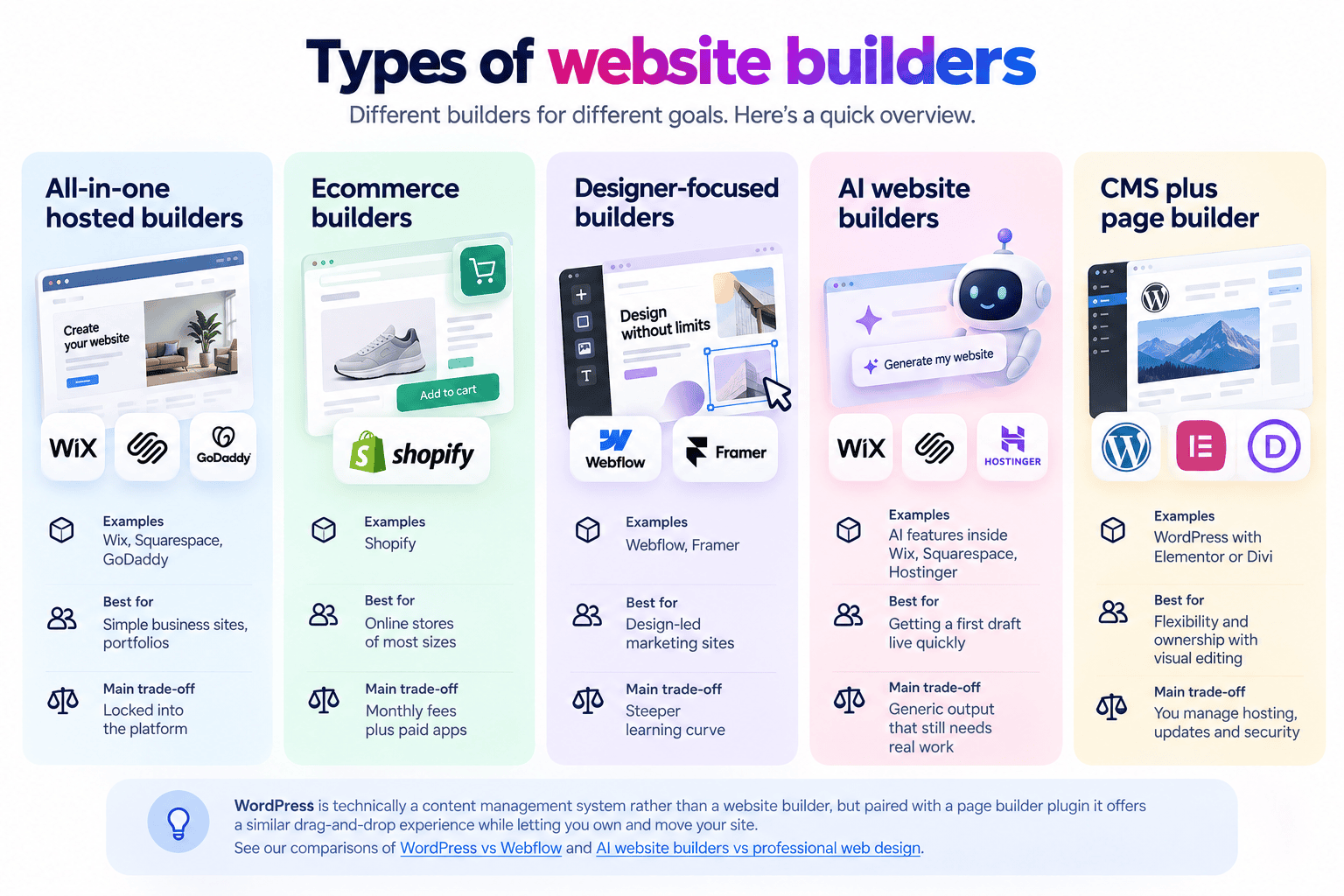
Types of website builders
|
Type |
Examples |
Best for |
Main trade-off |
|
All-in-one hosted builders |
Wix, Squarespace, GoDaddy |
Simple business sites, portfolios |
Locked into the platform |
|
Ecommerce builders |
Shopify |
Online stores of most sizes |
Monthly fees plus paid apps |
|
Designer-focused builders |
Webflow, Framer |
Design-led marketing sites |
Steeper learning curve |
|
AI website builders |
AI features inside Wix, Squarespace, Hostinger |
Getting a first draft live quickly |
Generic output that still needs real work |
|
CMS plus page builder |
WordPress with Elementor or Divi |
Flexibility and ownership with visual editing |
You manage hosting, updates and security |
WordPress is technically a content management system rather than a website builder, but paired with a page builder plugin it offers a similar drag-and-drop experience while letting you own and move your site. See our comparisons of WordPress vs Webflow and AI website builders vs professional web design.
Platform notes worth knowing before you start
- Wix: the most forgiving editor, with a separate mobile layout you should always check. Sites cannot be exported, so treat the choice as long term.
- Squarespace: tidier design out of the box, less freedom to move elements. Ecommerce features and transaction fees differ by plan.
- Shopify: built for selling, weaker as a general content site. Apps add up quickly.
- Webflow and Framer: closest to designing from scratch, with cleaner output, but you need to understand layout concepts to use them well.
- WordPress with a page builder: the most portable option, and the only one on this list where you are responsible for updates, backups and security.
- AI generated first drafts: useful to get a skeleton, but the copy is generic and the structure rarely matches how your customers buy. Treat it as a starting point, not a finished site.
Common beginner mistakes
- Choosing a template for its photos, then discovering your content does not fit it
- Building the homepage first and the service pages last, so the site sells nothing specific
- Leaving the platform subdomain live, so the address stays yourbusiness.wixsite.com
- Never testing the contact form
- Registering the domain in someone else’s name
- Adding five apps that each slow the site down
- Skipping page titles and descriptions entirely, which is most of the SEO you get on a builder
- Publishing with placeholder text still in the footer
Advantages of website builders
Fast to launch. A simple site can go live in days rather than weeks. Low upfront cost. A subscription instead of a project fee. No coding needed. Anyone comfortable with a computer can edit text and images. Hosting and security handled. The platform looks after servers, SSL and software updates. Easy updates. Change opening hours or promotions yourself without waiting on a developer. Good enough for many needs. A clean brochure site, a portfolio or a small shop can run perfectly well on a builder.
Disadvantages and limits
You may not be able to leave
This is the limit most people only discover later. On many hosted builders your site cannot be exported and moved to another host. Wix states in its help centre that its sites cannot be exported and hosted elsewhere. Changing platforms means rebuilding the site and redirecting your old URLs, which costs time, money and, if handled badly, search rankings.
Design and functionality ceilings
Templates are quick, but they also mean many sites look alike. When you need a layout, feature or integration the platform does not support, the workaround is often an extra paid app, or nothing at all.
SEO and performance control
Builders cover the basics: titles, descriptions, sitemaps. They offer less control over page structure, code weight, internal linking at scale and some technical settings. Heavy templates and stacked apps also slow pages down on mobile. See website speed optimisation.
Costs grow over time
The entry plan is cheap, but business features, ecommerce, removing platform branding and paid apps each add to the monthly bill. Over three to five years a builder is not always the cheapest option.
You still have to do the marketing work
A builder gives you a website, not a strategy. Content, copywriting, photography, SEO and conversion work are still your job.
Website builder vs custom web design
|
Website builder |
Custom website |
|
|
Upfront cost |
Low |
Higher project fee |
|
Ongoing cost |
Subscription plus apps |
Hosting, maintenance and updates |
|
Time to launch |
Days to weeks |
Weeks to months |
|
Design |
Template-based |
Built around your brand and customers |
|
Functionality |
Limited to platform and apps |
Built to your requirements |
|
SEO control |
Basic to moderate |
Full |
|
Ownership and portability |
Often locked to the platform |
You own the site and can move it |
|
Who does the work |
You |
The agency or developer, with your input |
For Singapore SMEs there is one more difference: the Productivity Solutions Grant supports up to 50% of qualifying costs for pre-approved website and ecommerce solutions from pre-approved vendors, capped at S$30,000 per company per financial year. A DIY builder subscription generally does not qualify, which narrows the real price gap. See our PSG web development grant guide and web design cost in Singapore.
When a website builder makes sense
- You need a simple brochure site with a handful of pages
- You are testing a new business idea and want to launch cheaply
- You have more time than budget and are comfortable editing the site yourself
- You sell a small range of products and a hosted ecommerce plan covers your needs
- Your website is not your main source of leads or sales, at least for now
When to choose a custom website instead
- Your website is a main source of enquiries or revenue
- You need specific features or integrations: bookings tied to operations, CRM, ERP, member portals
- Search rankings matter and you need full control over structure and technical SEO
- You want to own your site and be free to change hosts or developers
- You have outgrown your template and keep paying for workarounds
If you are unsure, compare the realistic three-year cost of both, including subscriptions, apps, your own time and the cost of rebuilding later. Our comparison of agencies, freelancers and in-house teams covers who should build it.
Frequently asked questions
What is a website builder in simple terms?
An online tool that lets you create a website by choosing a template and editing it visually, without writing code. The platform usually hosts the site for you.
How do I use a website builder as a complete beginner?
Plan your pages and write the content first, then choose a platform and plan, pick a template that matches your content, set your brand styles once, build each page, fill in the SEO settings, test on a phone, and publish. Expect one to two weeks for a simple site.
Do I need hosting and a domain separately?
Hosting is included on hosted builders. A domain is separate: you either buy it through the builder or connect one you already own. Register it in your business name either way.
Is a website builder the same as WordPress?
Not exactly. Hosted builders such as Wix and Squarespace bundle editor, hosting and updates into one platform. WordPress is a content management system you install on hosting you choose. With a page builder plugin it works similarly, but you manage hosting and updates, and you can move the site.
Are website builders good for SEO?
They cover the basics well enough for simple sites, but give you less control over technical SEO, page structure and performance than a custom or self-hosted site. For competitive search terms that limit matters.
Can I move my website away from a website builder later?
It depends on the platform. Many hosted builders do not let you export the full site, so moving usually means rebuilding elsewhere and setting up redirects from the old URLs.
How much does a website builder cost?
A monthly or annual subscription, with higher tiers for business and ecommerce features. Paid apps, premium templates and a custom domain add to the total, so compare the full yearly cost rather than the entry price.
Can I start it myself and hand it over later?
Yes, and it is common. Build the first version, then bring someone in once the site starts mattering to revenue. Keep the domain and platform logins in your own name so the handover is simple.
Is a website builder enough for a small business in Singapore?
For a simple site that is not a major source of leads, often yes. If your website needs to generate enquiries or sales, integrate with your systems or rank well in search, a custom build is usually the better long-term investment.
Choose the right way to build your website
A website builder is a good tool for the right job, and an expensive detour for the wrong one. If you want to compare platforms first, start with our guide to the best website builders for Singapore businesses.
If your website needs to bring in enquiries and sales, talk to MediaPlus Digital about our web design services in Singapore, with PSG support of up to 50% for eligible SMEs.