

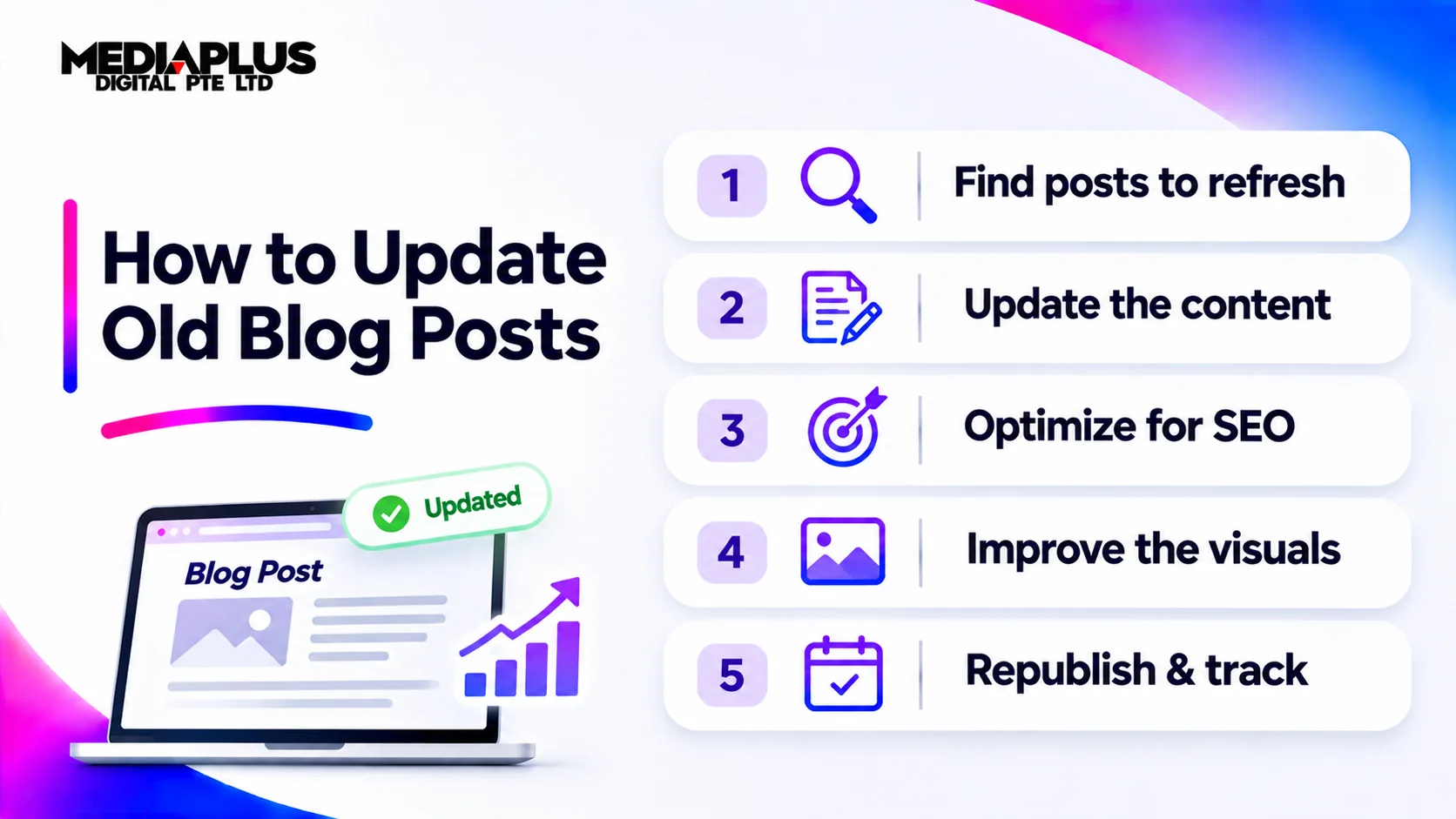
After three or four years, most company blogs in Singapore look the same. A handful of posts bring in most of the search traffic, dozens more get a few clicks a month, and some now say things that are no longer true: a grant that has closed, a GST rate from 2022, a screenshot of a tool redesigned twice.
Looking after old posts is the part that gets skipped, even though a post with some rankings and links is often the quickest win you have. This guide gives you a process: find the posts losing ground, score them, decide what to do with each, and update them properly.
If you are still building the blog itself, start with our guide to blogging for SEO. This article assumes you already have 30 or more posts and want to get more out of them.
The short answer
- Find decay in Google Search Console. Compare the last three months with the same three months a year earlier, grouped by page, and sort by the drop in clicks.
- Check GA4 for business value. A post that lost traffic but still brings enquiries deserves more effort than one that never converted.
- Score each post on traffic trend, conversions, backlinks, intent match and accuracy, then pick one action: refresh, rewrite, merge and 301, noindex, or delete.
- Change the substance, not just the date. Google’s own helpful-content guidance asks whether you are “changing the date of pages to make them seem fresh when the content has not substantially changed”.
- Track each update against a baseline for four to eight weeks, and run the whole cycle once a quarter.
What content decay looks like (and what causes it)
Content decay is a slow, steady loss of clicks and impressions on a page that used to perform. It is rarely a sudden drop. A sudden drop usually points to a technical problem (a noindex tag, a broken redirect, a site migration) and belongs in a technical SEO audit, not a content refresh.
| Cause | What you see in the data | Typical fix |
|---|---|---|
| Information is out of date | Impressions hold, clicks and CTR fall as searchers pick newer results | Update facts, examples and screenshots |
| Search intent changed | Ranking pages for the query are now a different format (tool, list, video) | Rewrite to match the new intent |
| Competitors published better pages | Average position slips from 3 to 8 over several months | Add depth: steps, tables, examples, original data |
| You compete with yourself | Two of your URLs swap positions for the same query | Merge, or retarget one of them |
| AI Overviews answer the query | Impressions steady or up, clicks down | Make the page worth clicking and easy to cite (see AI Overview citations) |
| The topic lost demand | Impressions fall across every ranking page, not only yours | Merge into a broader post, or leave it |
Step 1: Find decaying posts in Google Search Console
Search Console holds about 16 months of performance data, so you can compare the most recent quarter with the same quarter last year. That year-on-year comparison removes seasonal swings, which matter in Singapore: B2B searches dip around Chinese New Year and the December holidays, and retail queries rise before 11.11 and Christmas. Our Singapore marketing calendar lists the dates to watch.
These steps follow Google’s help article on advanced filtering and comparison, as it reads in November 2026:
- Open Performance > Search results.
- Click the date filter, choose Compare, and set the two ranges, for example 1 August to 31 October 2026 against the same dates in 2025.
- Click + Add filter > Pages, choose Custom (regex), and enter a pattern that matches only blog posts. On a WordPress site where posts sit at the root, it is easier to exclude service pages with Doesn’t match regex, for example
(/services/|/contact-us/|/case-studies/). - Tick Clicks, Impressions, CTR and Average position above the chart.
- Switch the table to the Pages tab. With a comparison active, Google adds a Difference column for each metric.
- Sort by the clicks difference, lowest first. The posts at the top lost the most clicks.
- Export the table (top right) to Google Sheets so you can score it.
Google’s article also suggests switching the chart to Weekly or Monthly when you compare date ranges, so a Monday is not compared with a Saturday. If you want to see which queries a post lost, click the page row to filter by it, then open the Queries tab with the same comparison still on.
Three patterns to flag:
- Clicks down, impressions steady. You still appear but fewer people choose you. Look at the title, the meta description, the date shown and whether an AI Overview now sits above you.
- Clicks and impressions both down, position down. Competitors overtook you or intent moved. This usually needs a rewrite.
- Impressions up, clicks flat, position 8 to 20. Not decay, but an opportunity. A solid refresh can lift these onto page one.
On a big blog, export in batches by topic. The interface and many connected tools cap the rows you can see, so low-click posts can drop off the list.
Step 2: Check business value in GA4
Search Console shows visibility. GA4 shows whether the post does anything for the business, and a post can lose half its traffic yet still be your best source of enquiries.
In GA4, go to Reports > Engagement > Landing page (Google’s Landing page report). If it isn’t in your menu, add it from the report library. Then:
- Set the same date range you used in Search Console and turn on Compare.
- Add a comparison or filter for Session default channel group = Organic Search.
- Look at Sessions, Engagement rate and Key events (GA4’s name for conversions) for each post.
- Note which posts lead to form fills, WhatsApp clicks or calls. If those events aren’t set up yet, fix that first with our GA4 setup guide, or your refresh decisions will be based on traffic alone.
Many readers don’t convert on the first visit; they come back a week later through a branded search, which last-click reporting hides. Our guide on measuring qualified leads from Google Ads and SEO explains how to connect enquiries back to pages.
Step 3: Score each post
Put every flagged post in one sheet and score each factor from 0 to 3. It stops the loudest opinion in the room from deciding what gets updated.
| Factor | 0 | 1 | 2 | 3 | Where to check |
|---|---|---|---|---|---|
| Traffic trend | Near zero, no impressions | Small and falling | Was strong, falling | Strong, falling fast | GSC comparison |
| Conversions | None | Occasional micro-conversions | Some enquiries | Regular enquiries or sales | GA4 key events, CRM |
| Backlinks | None | A few weak links | Some relevant links | Links from respected sites | GSC Links > Top linked pages, or Ahrefs |
| Intent match | Wrong format for what ranks now | Partly matches | Mostly matches | Matches what searchers want | Search the main query in an incognito window |
| Accuracy | Wrong or harmful if followed | Several outdated facts | Minor updates needed | Current | Your own read-through |
| Business fit | Topic you no longer sell near | Loosely related | Supports a service | Directly feeds a service page | Your service list |
Two columns work differently. Accuracy decides urgency: a 0 gets fixed or removed this month, whatever the total, because wrong advice under your name does more harm than lost traffic. Business fit decides effort: high traffic with zero fit earns a light refresh at most.
Here is a worked example for a Singapore B2B services firm:
| Post | Trend | Conv. | Links | Intent | Accuracy | Fit | Total | Decision |
|---|---|---|---|---|---|---|---|---|
| “How to apply for PSG” (2023) | 2 | 2 | 2 | 1 | 0 | 2 | 9 | Rewrite now: the grant closed on 29 Sep 2026 |
| “10 office fit-out tips” (2021) | 1 | 0 | 0 | 1 | 2 | 1 | 5 | Merge into the main fit-out guide, 301 |
| “Office fit-out cost guide” (2024) | 3 | 3 | 2 | 2 | 1 | 3 | 14 | Refresh this quarter: prices and examples |
| “Our CNY 2022 closure notice” | 0 | 0 | 0 | 0 | 3 | 0 | 3 | Delete, return 410 |
Step 4: Decide: refresh, rewrite, merge, noindex or delete
Use the scores to choose one action per post. This table covers almost every case:
| Action | Use it when | How to do it | Watch out for |
|---|---|---|---|
| Refresh | The post still matches intent and has some traffic or links, but parts are dated | Update facts, examples, screenshots, internal links and title. Keep the URL | Don’t change the URL. Changing it throws away history for no gain |
| Rewrite | Intent has moved, or the post is thin compared with what ranks | Keep the URL, write a new draft against the current top results | Keep the sections that already earn clicks for specific queries |
| Merge + 301 | Two or more posts cover the same question, or a weak post fits inside a stronger one | Move the useful parts into the stronger URL, then 301 redirect the weaker URL to it. Update internal links | Redirect only to a page that answers the same need. Unrelated targets help nobody |
| Noindex | The page is useful to users but has no search purpose (event recaps, internal notices, gated content thank-you pages) | Add a noindex meta tag. Keep it crawlable | Don’t block a noindexed page in robots.txt, or Google can’t see the tag |
| Delete (410) | No traffic, no links, no conversions, no future value, and nothing to merge into | Remove the page and return 410 (or 404). Remove internal links to it | If it has any backlinks, merge and redirect instead |
On 404 versus 410: Google’s documentation on HTTP status codes says “all 4xx errors, except 429, are treated the same” and that URLs already indexed which return a 4xx are removed from the index. A 410 makes your intent clearer to anyone reading your server logs later, but don’t expect it to work faster in Google than a 404.
On redirects: Google’s redirects guide explains that a permanent server-side redirect (301 or 308) tells Google the target should be treated as the canonical page. Its site move guidance recommends keeping redirects for at least a year. In practice, just leave them in place.
A word on pruning. Content pruning (removing or merging weak posts) helps when it gets rid of outdated, duplicate or off-topic pages that confuse readers and dilute your topical focus. It does not help when it is done to make the site look “fresh”. Google’s helpful-content questions include this one: “Are you adding a lot of new content or removing a lot of older content primarily because you believe it will help your search rankings overall by somehow making your site seem ‘fresh?’ (No, it won’t)”. Prune for readers and for clarity, one decision at a time.
Fixing cannibalisation while you’re in there
The scoring sheet often shows two posts chasing one query, say “SEO tips for small businesses” (2020) and “Small business SEO guide” (2024), both stuck between positions 9 and 15. To confirm it, filter Search Console by the query and open the Pages tab. If two of your URLs share the impressions and swap over time, that’s cannibalisation. Our guide to duplicate content and keyword cannibalisation covers the full set of fixes, including when to use canonical tags instead of redirects. For a refresh cycle, the usual answer is:
- Pick the URL with the stronger links and conversions as the keeper.
- Move anything unique from the weaker post into it.
- 301 the weaker URL to the keeper.
- Update every internal link that pointed at the weaker URL.
- Record which page owns which query in your keyword map, so the next writer doesn’t create a third version.
What a real refresh changes
A refresh that only swaps “2025” for “2026” in the title isn’t an update. Here is what a proper one covers, roughly in order of impact:
| Element | What to change | Example |
|---|---|---|
| Facts and figures | Replace every number, price, rule and statistic with the current version, and cite the source | GST rate, CPF figures, platform fees, grant names |
| Search intent | Reread the top five results for your main query. If they all now include a calculator, a checklist or a comparison table, add one | A “how to” post that now needs a step-by-step with screenshots |
| Missing questions | Add sections for queries the page gets impressions for but doesn’t answer | GSC Queries tab for that page, filtered to position 8 and below |
| Examples and screenshots | Replace screenshots of tools that have changed, and add Singapore examples | New GA4 or Meta interface screenshots |
| Internal links | Link to newer posts and the relevant service page, and fix links to pages you’ve merged | Add links from three or four related posts back to the refreshed one |
| Title and meta description | Rewrite if CTR has fallen while impressions held | Lead with the specific outcome the searcher wants |
| Author and reviewer | Show who wrote and checked the post, especially for advice on money, health or law | See our note on E-E-A-T and topical authority |
| Dates | Show “Last updated” with the real date, and update dateModified in your structured data |
Only after the content has changed in a meaningful way |
| Things to cut | Remove sections that are off-topic, padded or no longer true | An “ultimate guide” with a history section nobody reads |
What not to do
- Don’t change the date without changing the content. Google’s helpful content guidance names this directly as a warning sign. Its byline date guide asks you to label dates clearly (“Published” or “Last updated”) and says the dates must describe the actual publication or update of the page.
- Don’t strip out the sections that already rank. Check which queries the page earns clicks for before deleting anything.
- Don’t redirect everything to the homepage. A redirect to an unrelated page doesn’t preserve the value of the old one, and visitors land somewhere that doesn’t answer their question.
How often to refresh: cadence for fast-changing Singapore topics
Not every post needs the same attention. Topics tied to government schemes, tax and regulation in Singapore change on fixed dates, so put those posts on a calendar instead of waiting for traffic to fall.
| Topic type | Review cadence | Trigger dates to watch |
|---|---|---|
| Grants and incentives | Every quarter, plus whenever a scheme changes | PSG closed on 29 Sep 2026. Any post still recommending it needs fixing now. Point readers to current schemes such as the EDGE grant in general terms and send them to the agency for current terms |
| Tax, CPF and payroll | Every year, after the Budget statement and again in January | Budget announcements (usually February), CPF rate changes that take effect on 1 January |
| Regulation (PDPA, advertising codes, sector rules) | Every six months, and when PDPC or a regulator issues new guidance | PDPC advisory guideline revisions, sector circulars from MAS or MOH |
| Platform how-tos (Google, Meta, TikTok, Shopify) | Every six months | Interface redesigns, renamed features, policy changes |
| Cost and price guides | Every six to twelve months | Your own price changes, supplier increases |
| Evergreen concepts | Once a year | Only if the top results have changed or links have broken |
For regulated topics, the subject-matter owner signs off, not only marketing: a tax specialist for tax posts, the clinician and compliance lead for a clinic.
Step 5: Track the result
- Note the date in a change log (a simple Google Sheet works) with the URL, the action taken and what changed.
- Add an annotation in Search Console on the Performance chart for the date you published, so you can see it later.
- Use URL Inspection in Search Console and click Request indexing for important pages, so Google recrawls them sooner.
- Wait four to eight weeks before judging. Rankings move around for a while after a change.
- Compare like with like. Use the same comparison method as Step 1: four weeks after against the four weeks before, and the same weeks last year if seasonality is strong.
| Metric | Where | Good sign |
|---|---|---|
| Clicks to the page | GSC, filtered by page | Up against both baselines |
| Queries the page ranks for | GSC Queries tab for the page | New queries appearing, especially the questions you added |
| Average position for the main query | GSC, filtered by page and query | Moving up, or holding while competitors drop |
| CTR | GSC | Up, if you changed the title or meta description |
| Key events from organic landings | GA4 Landing page report | Steady or up |
| AI referrals and citations | GA4 and manual checks | The page cited in AI answers for its core question (see tracking traffic from AI Overviews) |
For merged posts, measure the keeper URL. If an update makes things worse after eight weeks, compare the old and new versions: a deleted section that used to earn clicks or a title that no longer matches the main query is the usual culprit.
A quarterly refresh workflow
Here is the process as a routine for a blog of roughly 40 to 150 posts and one person working on it part-time.
| Week | Task | Output |
|---|---|---|
| Week 1 | Export GSC comparison by page, add GA4 key events and backlinks, check accuracy of the posts flagged in the last cycle | Updated scoring sheet |
| Week 1 | Check the cadence calendar for regulated topics due this quarter | List of must-update posts |
| Week 2 | Score posts and assign one action each. Pick five to ten for this quarter, starting with accuracy problems, then highest totals | Approved refresh list |
| Weeks 3 to 8 | Refresh and rewrite, one or two posts a week. Merges and redirects go in together with the internal link fixes | Updated posts, redirect list, change log |
| Weeks 3 to 8 | Specialist review for regulated topics before publishing | Sign-off recorded in the change log |
| Weeks 9 to 12 | Measure the posts updated in weeks 3 to 6. Note what worked | Results column in the change log |
| End of quarter | Review the decisions. Feed learnings into briefs for new posts and update the keyword map | Next quarter’s starting list |
After a year of cycles you’ll know which kinds of update move the numbers on your site. If your blog uses topic clusters, refresh a pillar and its supporting posts in the same month, with fresh links between them. Our guide to content cluster strategy explains how to set those groups up.
Frequently asked questions
How often should I update old blog posts?
Review your top posts at least once a year and anything tied to grants, tax or regulation every quarter or whenever the rules change. Let the data decide the rest: run the Search Console comparison each quarter and update the posts that are losing ground and still matter to the business.
Does updating an old blog post help SEO?
It can, when the update makes the page more accurate and more useful for the query. A post that already has rankings and links is often quicker to improve than a new post is to rank. Changing the date alone does nothing useful, and Google’s guidance treats it as a warning sign.
Should I change the publish date when I update a post?
Keep the original publish date and add a visible “Last updated” date when you’ve made meaningful changes. Update dateModified in your structured data to match. Don’t update the date for minor edits like fixing a typo.
Is it better to delete old blog posts or redirect them?
Redirect (301) when the post has backlinks, traffic or a closely related page that covers the same need. Delete with a 410 or 404 only when it has none of those. Google treats 404 and 410 the same way for indexing.
What is a content audit and how is it different from a refresh?
A content audit is the review step: listing every post and scoring it, as in Steps 1 to 3. A refresh is one of the actions that can come out of it, alongside rewriting, merging, noindexing and deleting.
Can I use AI to refresh old content?
For drafting new sections, yes. Check every fact against a primary source and have someone who knows the topic review it. Our AI content workflow shows the review steps.
Need help with your old content?
If your blog has grown past the point where one person can keep it accurate, our content marketing services include content audits and refreshes alongside new SEO articles, with specialist review before anything goes live. As a content marketing agency in Singapore, we work with our SEO team so refreshed posts support the service pages that matter to your business. Talk to us about which posts to fix first.