
![What Is a Native App? Definition, Examples and Guide [2026]](https://newslocaltodaysg.pro/wp-content/uploads/2026/04/4-2.png)
Quick answer
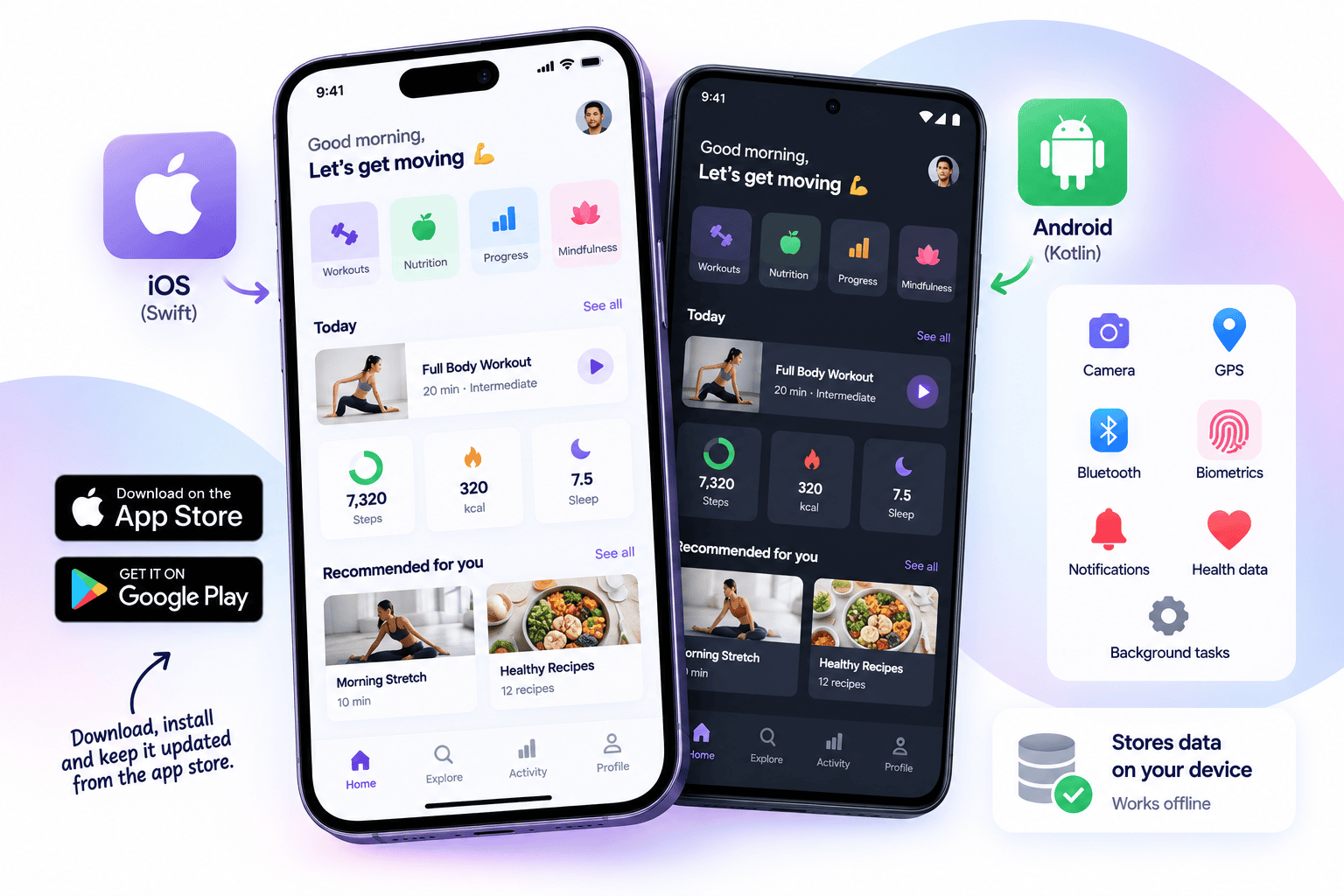
A native app is a mobile app built specifically for one operating system, using that platform’s own programming language and tools: Swift (usually with SwiftUI) for iPhone and iPad, and Kotlin (usually with Jetpack Compose) for Android. It runs directly on the device, uses the platform’s own interface components, and is installed from the App Store or Google Play.
Because each platform gets its own codebase, a native app usually feels the most at home on the phone and has full access to device features. The trade-off is cost: supporting both iOS and Android means building and maintaining two apps.
Well-documented examples of native apps include Airbnb, Shopify’s Shop app, Slack and Duolingo. Several apps commonly listed as native, such as Discord and Google Pay, are actually built with cross-platform frameworks. Both lists are below, with sources.
Native app meaning, in plain terms
“Native” means built in the platform’s own language, with the platform’s own tools, for that platform only.
|
iOS and iPadOS |
Android |
|
|
Language |
Swift (older apps: Objective-C) |
Kotlin (older apps: Java) |
|
Modern UI toolkit |
SwiftUI (older: UIKit) |
Jetpack Compose (older: XML Views) |
|
Development tool |
Xcode |
Android Studio |
|
Distribution |
App Store |
Google Play |
What the platform owners say:
- Apple describes Swift as “a powerful and intuitive programming language for all Apple platforms” and says SwiftUI “is designed to work alongside UIKit and AppKit, so you can adopt it incrementally in your existing apps.”
- Google announced at Google I/O 2019 that “Android development will be increasingly Kotlin-first”, and describes Jetpack Compose as “Android’s recommended modern toolkit for building native UI.” Google says over 70 of its own apps use Kotlin, including Maps, Home, Play, Drive and Messages on Android.
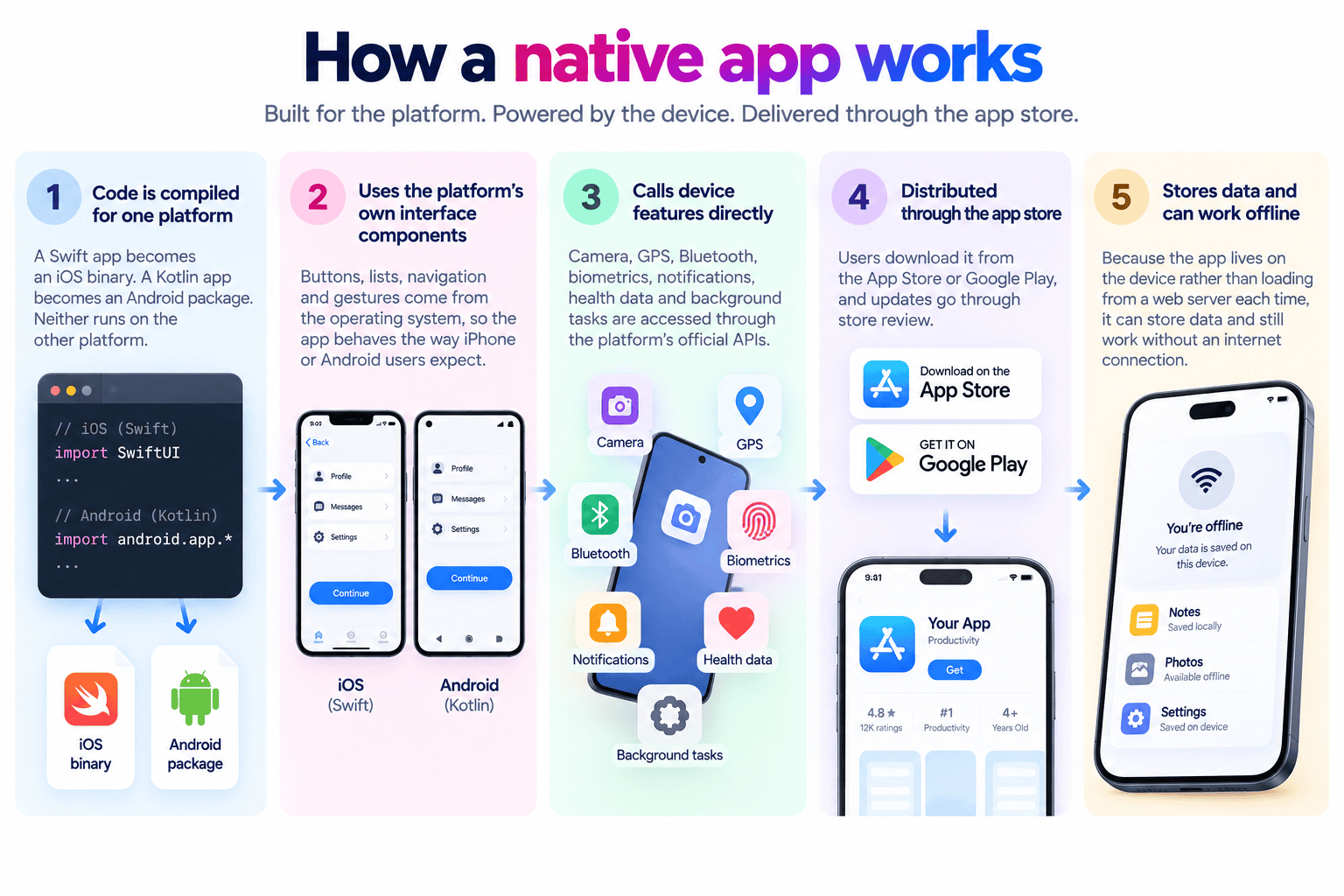
How a native app works
- The code is compiled for one platform. A Swift app becomes an iOS binary. A Kotlin app becomes an Android package. Neither runs on the other platform.
- It uses the platform’s own interface components. Buttons, lists, navigation and gestures come from the operating system, so the app behaves the way iPhone or Android users expect.
- It calls device features directly. Camera, GPS, Bluetooth, biometrics, notifications, health data and background tasks are accessed through the platform’s official APIs.
- It is distributed through the app store. Users download it from the App Store or Google Play, and updates go through store review.
- It stores data and can work offline, because the app lives on the device rather than loading from a web server each time.
Native vs React Native vs Flutter vs Kotlin Multiplatform vs PWA
This is where most explanations blur, because several cross-platform tools describe their output as “native” in different senses. Here is what each actually does, in the frameworks’ own words.
|
Approach |
How it works |
Uses the platform’s own UI components? |
One codebase for iOS and Android? |
|
Native (Swift, Kotlin) |
Separate app per platform in the platform’s language |
Yes |
No |
|
React Native |
JavaScript code, “rendered with native code”. At runtime it “creates the corresponding Android and iOS views” |
Yes, platform views driven by JavaScript |
Mostly |
|
Flutter |
Dart code “AOT compiled into native ARM machine code”, but Flutter “renders widgets directly using its own engine” instead of using platform widgets |
No, draws its own |
Mostly |
|
Kotlin Multiplatform |
Shares business logic in Kotlin, compiled to native binaries. Google supports it “for sharing business logic between Android and iOS” |
Yes, if the UI is written natively per platform |
Logic shared, UI can be native |
|
PWA / web app |
A website that can be installed and work offline, running in the browser engine |
No |
Yes, one web codebase |
So when someone asks “is Flutter native?”, the precise answer is: Flutter apps compile to native machine code, but they do not use the platform’s own interface components. React Native is the reverse: it uses platform components, but the app logic runs in JavaScript.
More detail in our comparisons of native vs cross-platform apps and native app vs hybrid app vs PWA.
Examples of native apps (verified)
Most example lists online are copied from each other. Every app below is backed by the company’s own engineering blog or official platform documentation.
|
App |
Platforms and stack |
Evidence |
|
Airbnb |
Native iOS with SwiftUI, native Android with Jetpack Compose |
Airbnb announced it was sunsetting React Native in 2018, and has since published its SwiftUI (2023) and Jetpack Compose (2022) adoption |
|
Shop app by Shopify |
Rebuilt in Swift/SwiftUI and Kotlin/Jetpack Compose |
Shopify Engineering, 10 September 2026: rebuilt in 12 weeks, iOS startup 23% faster and Android 50% faster |
|
Slack |
Native, Android codebase 92% Kotlin |
Slack Engineering, 2022 |
|
Duolingo |
Android 100% Kotlin, iOS in Swift, with some shared Kotlin logic |
Duolingo blog, 2020; Google lists Duolingo as a Kotlin Multiplatform user |
|
Uber Rider (iOS) |
Mostly Swift, some Objective-C |
Uber Engineering, 2021 |
|
Lyft (Android) |
Over 90% of new feature code in Jetpack Compose |
Android Developers blog, 2022 |
|
Threads by Meta |
Largely native: Swift on iOS, Jetpack Compose on Android |
Engineering interview published 2023 |
|
Google Maps, Drive, Messages, Play (Android) |
Built with Kotlin |
Android Developers, Kotlin-first page |
The Shopify story is the most useful example
Shopify is a good case study because it went both ways. It moved its mobile apps to React Native in 2020 and wrote about five years of using it in 2025. Then on 10 September 2026 it announced: “We are going to migrate all our mobile apps to Swift and Kotlin.” The Shop app was first; the main Shopify app is scheduled to follow later in 2026, then Point of Sale and Inbox.
Two practical lessons for anyone choosing an approach: cross-platform can be the right answer for years, and moving back to native is a decision companies make when app performance becomes central to the product.
Apps often wrongly listed as native
These are frequently cited as native app examples, but their own engineering teams say otherwise.
|
App |
What it actually uses |
Source |
|
Discord |
React Native for mobile, with some native components |
Discord blog, March 2025 |
|
Google Pay |
Rebuilt in Flutter |
Flutter showcase |
|
My BMW app |
Flutter, launched 2020 across 47 countries |
Flutter showcase |
|
Microsoft Office |
Over 40 Office experiences use React Native |
Microsoft React Native blog, May 2025 |
|
Facebook, Meta Horizon |
React Native used in parts |
React Native site and Meta Engineering, 2024 |
|
|
Native app with React Native views added since 2016 |
Instagram Engineering, 2017 |
|
Grab |
Native Swift and Kotlin passenger app with some React Native modules; the GrabPay Merchant app was fully React Native |
Grab Engineering, 2019 |
Large apps are rarely “pure” anything. Most mix native code with cross-platform modules where it saves effort. “Native” is best understood as the primary approach, not an absolute.
Features that need native code
Some platform features can only be built with the platform’s own tools, even inside a cross-platform app. If any of these are central to your idea, plan for native work:
- iPhone home screen widgets. Apple states: “You build widgets using SwiftUI.”
- Live Activities on the Lock Screen and in the Dynamic Island, built with ActivityKit and WidgetKit. Useful for delivery tracking, rides, queues and live scores.
- App Clips, the lightweight instant versions of an app opened from a QR code or NFC tag, with strict size limits.
- Wear OS Tiles for Android smartwatches, built with Jetpack’s tiles libraries rather than standard Compose.
- Deep integrations with health data, Bluetooth accessories, background location and advanced camera processing, which are usually more reliable in native code.
Advantages of native apps
- Best fit with the platform. Navigation, gestures, text and accessibility behave the way users expect on each device.
- Full, first-day access to new platform features. When Apple or Google releases a new capability, native apps can use it immediately.
- Performance headroom. Shopify’s own rebuild recorded 23% faster startup on iOS and 50% faster on Android.
- Better tooling for debugging and profiling, straight from Apple and Google.
- Fewer layers to break when the operating system updates.
Disadvantages of native apps
- Two codebases if you need iOS and Android, which means more build time and more maintenance.
- Two skill sets. Swift and Kotlin developers are separate hires or separate vendor teams.
- Features ship at different speeds on each platform unless both teams are coordinated.
- App store dependency. Every update goes through review, and the stores take a commission on digital sales.
Native, cross-platform or web: how to decide
|
Your situation |
Usually the better choice |
|
Idea not yet validated, need both platforms fast |
Cross-platform (Flutter or React Native) or a PWA |
|
Content, catalogue or booking with little device use |
PWA or a fast mobile website |
|
App performance and polish are the product |
Native |
|
Heavy use of camera, Bluetooth, health data, background location |
Native |
|
Widgets, Live Activities or App Clips are core features |
Native, at least for those parts |
|
Existing web team in React |
React Native |
|
Strict budget, one app for both platforms, custom visual design |
Flutter |
|
Complex business logic you want once, native UI on each platform |
Kotlin Multiplatform |
|
Only iPhone users matter, for example an internal iPad app |
Native iOS only |
Before any of these, check whether you need an app at all. Many businesses need a fast mobile site more than a download. See what is a progressive web app.
What developers are actually using
- Stack Overflow Developer Survey 2024 (latest edition with framework figures): Flutter was used by 9.4% of respondents and React Native by 8.4%.
- Stack Overflow Developer Survey 2025: Kotlin was used by 10.8% of respondents and Swift by 5.4%.
Survey respondents are general developers, not only mobile developers, so these figures describe the wider developer population rather than share of mobile apps.
What a native app costs to run in Singapore
Store accounts – Apple Developer Program: US$99 per membership year. – Google Play Console: US$25 one-time registration fee.
Store commission on digital sales – Apple App Store Small Business Program: 15% commission for developers earning up to US$1 million in the previous calendar year. – Google Play: Singapore currently remains on 15% for the first US$1 million a year, with a new fee model scheduled to reach the rest of the world, including Singapore, by 30 September 2027.
Physical goods and services sold through an app, such as retail orders or food delivery, generally use your own payment gateway rather than store billing.
Build and upkeep Native for both platforms usually costs more than a single cross-platform build, because it is two apps. Local 2025 benchmarks from app consultancy Ptolemay put a lean MVP in Singapore at S$25,000 to S$50,000, a growth-ready app at S$50,000 to S$90,000, and complex apps at S$90,000 to S$180,000 or more, with post-launch running costs of S$3,000 to S$6,000 a month. Full breakdowns in the cost of developing an app in Singapore and app maintenance cost in Singapore.
Singapore rule to know: under IMDA’s Code of Practice for Online Safety for App Distribution Services, the major app stores were required to have age assurance measures in place by 31 March 2026 to stop under-18 users downloading age-inappropriate apps. Set your app’s age rating accurately.
Grants: a custom native app is not a PSG pre-approved package. Custom development is typically considered under the Enterprise Development Grant instead. See our mobile app development companies guide for how PSG and EDG apply.
Frequently asked questions
What does native app mean?
An app built for one specific operating system using that platform’s own language and tools, such as Swift for iOS or Kotlin for Android, and installed from that platform’s app store.
What are examples of native apps?
Airbnb, Shopify’s Shop app, Slack, Duolingo, Uber’s iOS rider app, and Google’s own Android apps such as Maps, Drive and Messages, based on the companies’ own engineering documentation.
Is React Native a native app?
Not strictly. React Native apps use the platform’s native interface components, but the app logic is written in JavaScript and shared across platforms. It is a cross-platform framework.
Is Flutter native?
Flutter compiles to native machine code, but it draws its own interface instead of using the platform’s components. It is a cross-platform framework, not native development in the usual sense.
What is the difference between a native app and a web app?
A native app is installed from an app store and runs on the device with full hardware access. A web app runs in the browser and is reached by URL. A progressive web app sits between them: installable and offline-capable, but still browser-based.
What is the difference between a native app and a hybrid app?
A hybrid app wraps web content in a native shell, so one web codebase serves both platforms. A native app is built entirely with platform tools for each platform.
Do native apps work offline?
They can, because the app lives on the device. How much works offline depends on how the app is designed.
Is native always better?
No. It is better for performance-critical apps, deep device features and platform-specific experiences. For validating an idea quickly or serving content, cross-platform or a PWA is often the smarter spend.
How long does it take to build a native app?
A lean MVP typically takes two to three months, longer if both iOS and Android are built natively in parallel. Our mobile app development process guide covers each stage.
Deciding whether your app should be native
The right choice depends on what the app must do, who uses it and how long it needs to last. MediaPlus Digital helps Singapore businesses decide between native, cross-platform and web before a line of code is written, with 13 years in market, a team of 60 and more than 1,800 projects delivered.
See our mobile app development services, or start with a mobile app requirements document so every option is quoted against the same scope.
App stacks, platform documentation and store fees verified 17 September 2026 from Apple, Google, framework documentation and company engineering blogs.